Loading...
Booking Tool: Manage your Bookings via WhatsApp & Instagram
The Booking Tool empowers users to connect single or multiple calendars with their AI agent. Once integrated, your TailorTalk agent can efficiently manage appointments and bookings, such as video-call consultations and store styling appointments.
Configuring the Booking Tool
- Connect Your Google Calendar: Use Google OAuth to securely add your desired calendars. This standard authentication method ensures your calendar data is handled safely.
- Assign Calendar Labels: After connecting, you can assign descriptive labels to each calendar. This helps your agent identify the correct calendar for specific tasks. For example:
bridal@yourbrand.com→ "Bridal video consultations"store@yourbrand.com→ "Flagship store styling appointments"
Enabling Your TailorTalk Agent to Access Your Calendar
To allow your TailorTalk agent to manage appointments, you'll need to grant it access to your calendar(s). Follow these steps:
- Navigate to the Booking Tool and click the
+ Add Calendarbutton.
- From the pop-up window, select the Google account you wish to integrate.
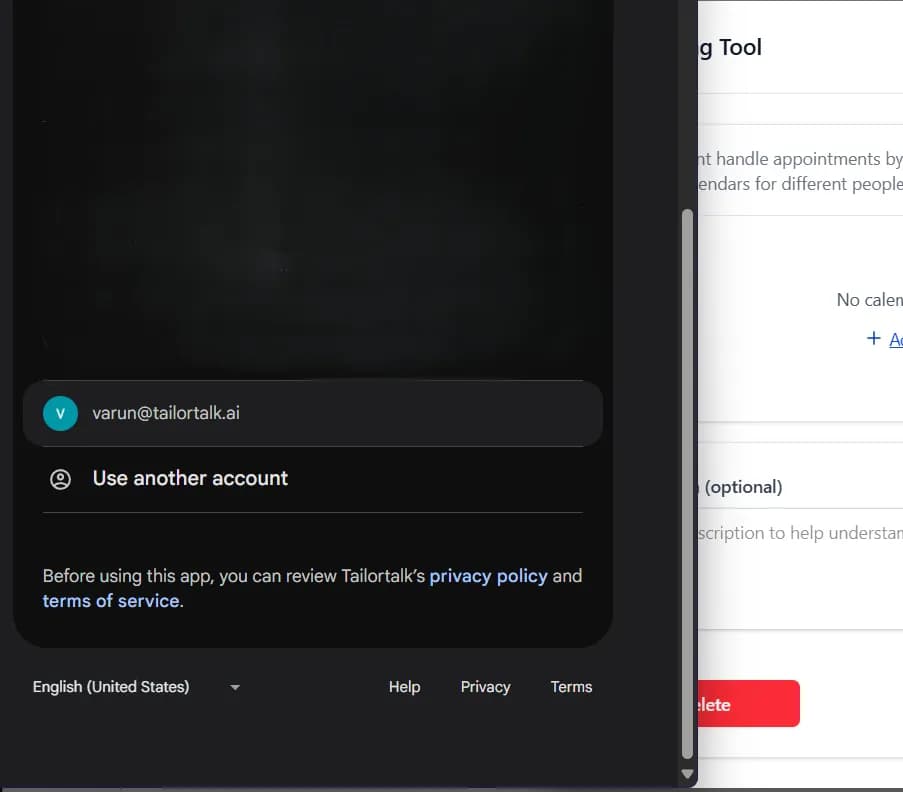
- Review the requested permissions and click Allow to grant access.

- Save your settings. Your TailorTalk agent is now equipped to schedule and manage bookings on your behalf.

How Your TailorTalk Agent Interacts with Calendars
Once integrated and authorized:
- Your TailorTalk agent checks real-time availability before proposing or confirming appointments.
- It intelligently schedules new events based on user inputs, specified preferences, and existing calendar entries.
Common Use Cases
- Bridal and Couture Video Calls: Shoppers who want to see a bridal, couture or fine jewellery piece up close book a video call with your team straight from the chat.
- In-Store Styling Appointments: Shoppers book a slot at your store for a styling session or a trial.
- Custom and Made-to-Order Fittings: Book measurement and fitting appointments for made-to-order and alteration work.
- Wholesale and Bulk Enquiries: Book a call with your sales team for boutiques and resellers who want to place large orders.
With the Booking Tool, your agent handles the back-and-forth of finding a time, so your team only shows up for the appointment.

