Loading...
Events Tool: Manage your Calendars, Events, Classes & more via WhatsApp & Instagram
The Events Tool empowers users to connect single or multiple calendars with their AI agent. Once integrated, your TailorTalk agent can read your calendar and share details about your upcoming tours, events, classes, or group activities with your customers.
Configuring the Events Tool
- Connect Your Google Calendar: Use Google OAuth to securely add your desired calendars. This standard authentication method ensures your calendar data is handled safely.
- Assign Calendar Labels: After connecting, you can assign descriptive labels to each calendar. This helps your agent identify the correct calendar for specific tasks. For example:
yoga-studio@company.com→ "Yoga Class Schedule"tours@travelagency.com→ "City Tour Bookings"
Enabling Your TailorTalk Agent to Access Your Calendar
To allow your TailorTalk agent to share event details, you'll need to grant it access to your calendar(s). Follow these steps:
- Navigate to the Events Tool and click the
+ Add event calendarbutton.
- From the pop-up window, select the Google account you wish to integrate.
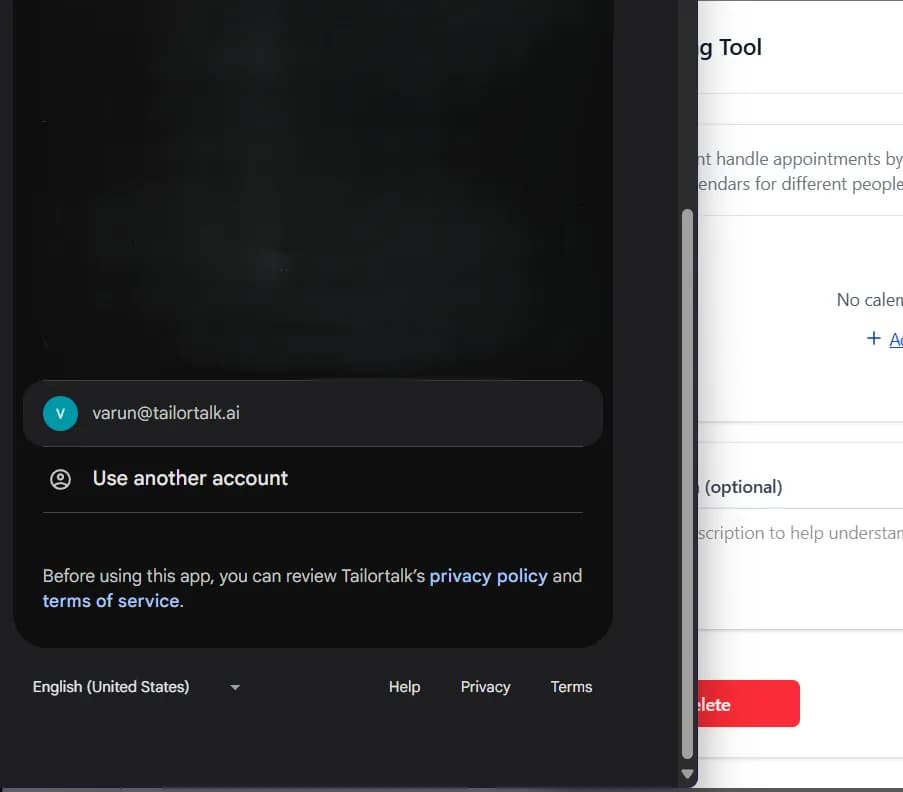
- Review the requested permissions and click Allow to grant access.

- Save your settings. Your TailorTalk agent is now equipped to read and share event details on your behalf.

How Your TailorTalk Agent Interacts with Calendars
Once integrated and authorized:
- Your TailorTalk agent reads your calendar to provide up-to-date information about upcoming events.
- It intelligently shares relevant details (time, location, description) based on customer inquiries.
- It also fetches all your upcoming tours, events, classes, or group activities from your secondary calendars as well.

Common Use Cases
- Class Schedules: Share upcoming yoga, gym, or educational class timings with students.
- Tour Availability: Inform tourists about available slots for guided city tours or excursions.
- Event Information: Provide details about webinars, workshops, or community gatherings.
- Group Activities: Manage and share details for club meetings or team activities.
By utilizing the Events Tool, businesses can automate information sharing, reduce manual inquiries, and ensure customers always have the latest details about scheduled activities.

